
Platform comparisons
MetaTrader alternative: ChartArrow compared
ChartArrow is a browser-based chart research workspace with available AI assistance. MetaTrader 4 and 5 are trading platforms built around broker accounts. They can serve different parts of the same workflow.
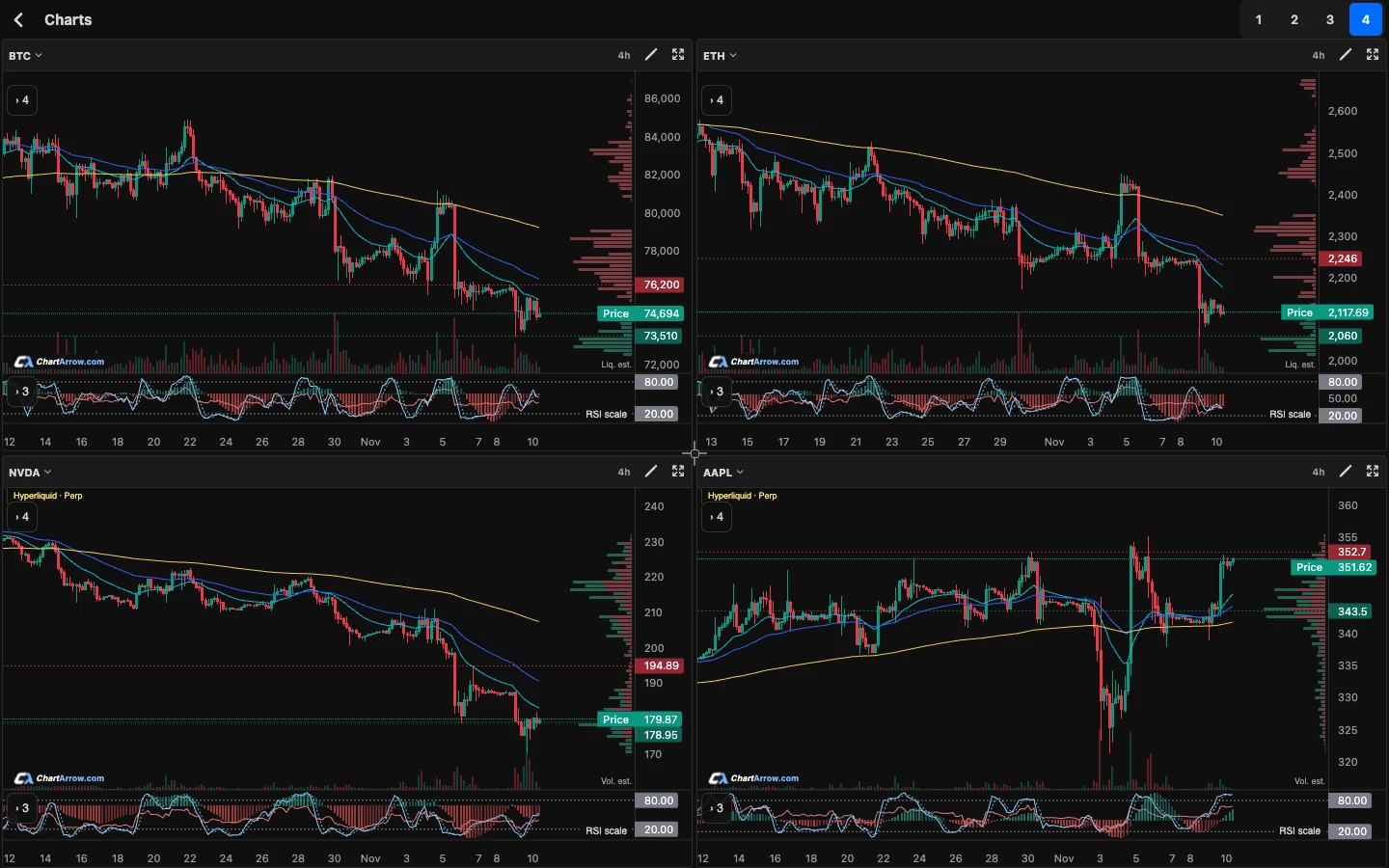
What is the difference between ChartArrow and MetaTrader?
ChartArrow provides free charting tools including watchlists, indicators, drawings and a workspace with up to four charts. Available AI chart chat can use GPT, Claude or Grok, and its AI drawings are editable. Account and plan limits apply. These research features do not hold funds, place orders or execute trades.
MetaTrader 4 focuses on forex trading and analysis. MetaTrader 5 supports multiple asset classes including forex, stocks and futures, subject to what your broker offers. MetaTrader supports broker trading and automated programs called Expert Advisors. See the official MT4 overview and MT5 overview.
ChartArrow vs MetaTrader: side by side
| Need | ChartArrow | MetaTrader 4 or 5 |
|---|---|---|
| Main job | Chart research in a browser, with available AI assistance. | Broker trading and market analysis; MT4 and MT5 are distinct platforms. |
| Orders and funds | No order placement or execution through these features; does not hold funds. | Trading requests go through a broker and account; instruments and conditions depend on that provider. |
| Automation | Do not assume Expert Advisors or MQL programs run here. | Expert Advisors can automate analysis and trading; see MT4 documentation. |
| AI chart research | Available chat and editable AI drawings, subject to limits. | Check the platform and any third-party tools separately for your needs. |
| Access | Browser and iPhone Home Screen; chart work is stored on the same device. | Desktop, mobile and browser options exist; capabilities can differ by version. |
Who should use each platform?
Use ChartArrow when you want to review charts in a browser, compare markets or ask an AI assistant to explain a chart. Free charting tools make it possible to explore the workspace, while AI and other account features have limits. Read the AI chart analysis guide for how to question and check an answer.
Keep MetaTrader for broker account management, placing orders and any Expert Advisors or MQL tools you depend on. MT4 and MT5 are not interchangeable simply because they share a name: confirm that your broker, account, instruments and programs support the version you use. ChartArrow is not a drop-in replacement for a trading terminal.
For more on the research side, see charting software and AI trading.
Can you use ChartArrow with MetaTrader?
Yes. Keep your broker terminal for orders and account information, and use ChartArrow as a separate research workspace. Start by identifying the broker symbol, product type, timeframe and indicator settings. Find the closest available instrument in ChartArrow, then compare the source and label before interpreting differences.
A forex pair from one broker may not have the same quotes, spread or candle history as another source. A stock-linked perpetual is a derivative, not a share; its price and trading hours can differ. See the stock perpetual guide for an example of why matching the instrument matters.
Recreate useful levels manually rather than assuming a MetaTrader layout, indicator or Expert Advisor will import. Use multiple timeframes to distinguish broader structure from a closer view. Ask AI to describe the current chart and independently verify the answer and any editable drawing.
What should you check before changing your workflow?
ChartArrow offers crypto, stocks, ETFs, forex, indices and commodities where available. Check the specific symbol, market label, price source and available history; an instrument on a broker’s server may not have an identical counterpart. Price, RSI and Stochastic alerts are available subject to access and limits. See the indicator alerts guide.
Chart work is stored on the same device. Before relying on a new setup, check your account limits and make sure you can reproduce the analysis you need. Continue to verify any order, contract, margin and execution details directly with your broker. AI can be wrong and neither a chart nor an automated analysis guarantees an outcome.
Competitor information was checked on 15 November 2026 against the official MetaTrader 4 overview, Expert Advisors documentation, and MetaTrader 5 overview. Check your broker’s current terms and available instruments.
Educational product guidance, not financial advice. AI can be wrong. Product features, access and market data can change.
This comparison is published by ChartArrow about its own product. TradingView and MetaTrader are their owners' trademarks. No affiliation or endorsement is claimed.